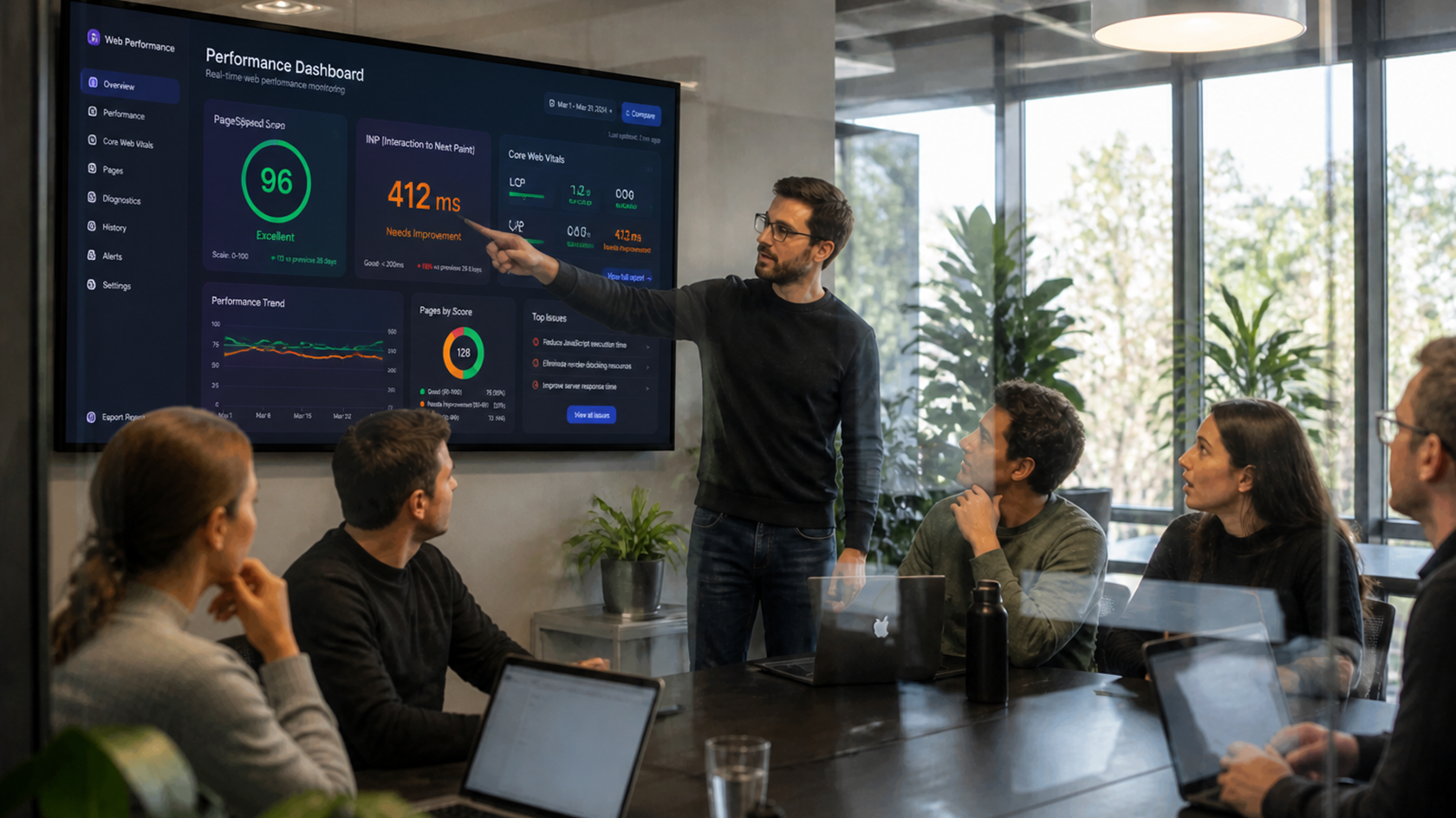
Your site can show a green PageSpeed score and still lose visitors because a single click takes 400 milliseconds to respond. That's exactly what INP measures and Google has been actively using it to rank sites since it replaced FID as a Core Web Vital.
In 2026, INP remains the metric most misunderstood by marketing teams, even though it directly weighs on SEO and conversion. Here's what it actually measures, and how to fix it without rebuilding everything.
Unlike the old FID, which only looked at the very first user interaction, INP (Interaction to Next Paint) evaluates responsiveness across the page's entire lifespan: every click, every keystroke, every interaction gets measured, and the worst one determines the final score. A site can load fast and still feel "sluggish" the moment someone interacts with it that's exactly what INP exposes.
Genesis Agency Insight: On an e-commerce site we audited, INP collapsed overnight after a third-party AI chatbot was added. The widget reloaded a heavy script on every page interaction, including when a visitor simply clicked "Add to Cart" without ever touching the chat. The culprit was never the one everyone suspected first.
A point often missed: components generated by AI tools (see our piece on Figma AI) sometimes ship with heavy default scripts or animations. A visually appealing component generated in seconds can quietly drag down an entire page's INP if it isn't checked before it ships.
Genesis Agency Insight: Quick pre-launch checklist: every third-party script tested in isolation, non-critical JavaScript deferred, AI-generated components run through a performance check, measurements taken on a real mobile device not just a powerful dev machine.
INP doesn't forgive shortcuts: every script, every widget, every generated component needs to be measured, not just judged "nice" or "convenient." That's the difference between a site people like the look of and a site that converts.
Not sure where your site stands on INP? Genesis Digital Factory runs this performance audit and fixes the points dragging down your search visibility and conversion rate.


Whether you need to redesign your website, boost your social media presence, or launch high-performing advertising campaigns, we are here to support you. Free 30-minute strategic consultation to discuss your challenges, no commitment, no pressure. Just an honest, useful conversation.


.svg)
.png)